Skip to workspaces
CAM Work
Automation

CAM Work Automation Public beta

Your files.
A clearer plan.

Drawings arrive in spreadsheets. Models don’t tell you the setup. Bring them together, see what’s missing, and prepare supported G/M-code candidates your team can review.

Public file review · browser-local sources · engineering decisions stay with your team

Explore a real partInteractive source preview

Loading the original public model…

Public case · 300-1963Inspect the original sources ↗
Start with what you haveXLSXPDFPNG / JPGDXFSTEPSLDPRT display

Try the workflow, one decision at a time.

Hands-on guidance inside the actual workspaces. No silent confirmations, automatic generation or hidden stock assumptions.

2D: a drawing to reviewed dimensions

Open a practice blueprint, declare scale and origin, confirm two holes, then prepare a separate virtual job.

Start guided 2D practiceSynthetic source. Review without sign-in;2D generation and saved history require your own sign-in.

3D: a real part to independent checks

Open the authorized public model and PDFs. Inspect features and missing scope, generate internal-operation NC and test the final bytes.

Start guided real-part caseApproximate saved display and synthetic stock; selected internal operations only. No machine approval.

THE WORKFLOW, IN CONTEXT

Useful automation.
Inspectable decisions.

For teams with or without a dedicated CAM programmer. Organize mixed sources, reduce repetitive supported preparation, and keep assumptions visible.

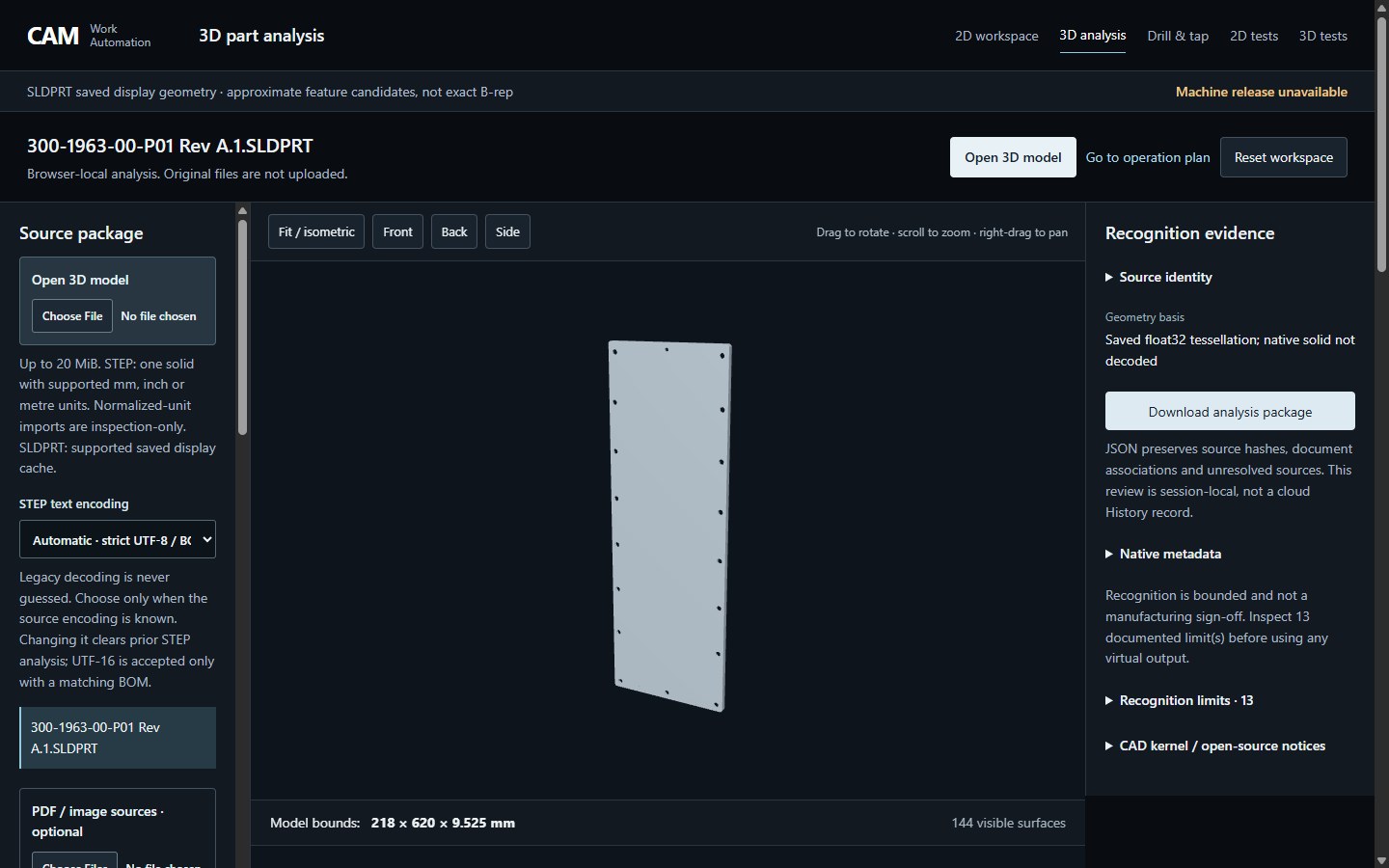
Actual public 3D analysis with the panel, source package and recognition evidence

ACTUAL PRODUCT / PUBLIC PREVIEW

Look beyond the outline.

Connect holes and recesses to the original model. Keep unrecognized surfaces and incomplete coverage visible.

Explore the public 3D case ↗Selected-operation scope only. No whole-part or machine approval.

MEET CAM WORK AUTOMATION

The workflow, in 85 seconds.

A short English-narrated overview of workbook review, 3D inspection and independent checks. Real product excerpts, with captions below the interface.

Read the full film transcript

You’ve got the drawing. A model. And a spreadsheet full of instructions. The next step is making sense of it all. That’s what CAM Work Automation is built for: bringing the evidence together, cutting down repetitive preparation, and giving your team a clearer place to start.

Here’s a real shop workbook. Read the instructions. Open the embedded drawing. Review the dimensions and choose the part variant. Missing or conflicting details stay visible.

Now the 3D part. Select a hole or recess, and inspect the matching geometry. See what the current strategy covers, and what still needs attention.

For supported operations, confirm the actual stock, tools and setup. Generate candidate G and M code, then test that final program independently. These checks support review. They are not machine approval.

No CAM programmer? Start with a more organized workflow. Already have one? Reduce repetitive preparation, and leave more time for the decisions that matter.

Bring a real part to the beta. Add your files, review the evidence, and tell us what your team needs next. Qualified machine testing and operator approval still come before machining.
THREE WAYS TO BEGIN

Choose your starting point.

No complete manufacturing packet yet? Inspect your files first. Supply actual process and setup information when preparing an operation.

01 / SOURCES

Drawings & instructions

Workbook cells and pictures, PDF pages and image text. Confirm stated dimensions. Use a DXF pair when you have one.

Open 2D workspace ↗OCR requires review. Image pixels do not establish machining dimensions.
02 / GEOMETRY

3D part analysis

Explore models with associated drawings. Prepare supported internal operations and selected exact slots; inspect uncovered work.

Open 3D analysis ↗STEP capabilities are bounded. Native saved-display geometry is approximate.
03 / OPERATIONS

Indexed drill & tap

Declare reviewed coordinates, tools and setups. Generate a compact candidate and compare operations with a reference.

Open drill & tap ↗Manual process review and machine-specific qualification remain necessary.

A SEPARATE CHECK

Review the result.
Not just the intention.

Test final program bytes against bound inputs. Inspect the checks, replay supported motions, and keep unresolved scope alongside the result.

  1. 01

    Inspect sources

    Separate geometry, document evidence and conflicts.

  2. 02

    Declare the setup

    Confirm the process, actual stock and tool assumptions.

  3. 03

    Generate a candidate

    Use a supported strategy with explicit coverage.

  4. 04

    Test the final code

    A software pass is not machine approval.

BUILD WITH YOUR TEAM

Bring a real part.
Help shape the next workflow.

Test with drawings, source files, setup details and approved reference programs. Tell us where recognition is incomplete or an assumption needs explanation.

Open the beta workspace ↗
Machine transfer and cycle start are unavailable.

No complete-part machining, qualified production postprocessor, CAMWorks integration or physical machine prove-out is claimed.